DDoS protection: how attacks work and how to counter them
DDoS is no longer a problem for large companies only: renting a botnet for a few hours now costs less than an hour of an administrator's time. Online stores, media outlets, game servers and small corporate websites all come under fire. Let's look at how these attacks work, why ordinary hosting cannot cope with them and what actually helps.
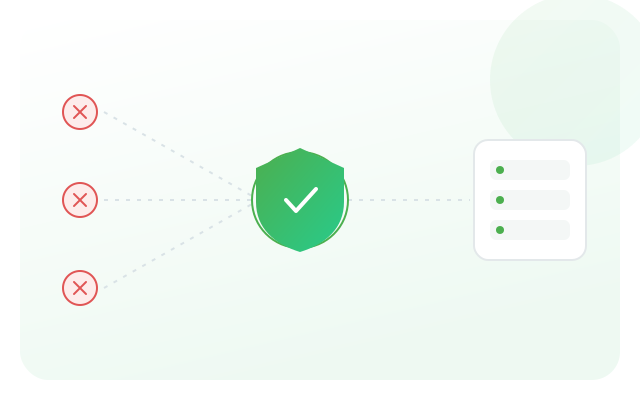
The principle of protection is simple: traffic does not go straight to your server, it passes through a filtering network. Junk requests are cut off on the approach, and only legitimate traffic reaches the application.
What a DDoS attack is
DDoS (Distributed Denial of Service) is a distributed denial-of-service attack. A large number of infected devices (a botnet) send requests to your resource at the same time in order to exhaust its resources: channel bandwidth, the capacity of network equipment, the CPU or the application's connection pool. The goal is not to steal data, but to make the service unavailable to real users. The key difference from an ordinary traffic spike is that the sources are spread across thousands of addresses, so simply "banning one IP" will not work.
Volumetric attacks (L3/L4)
The most straightforward type: the channel is stuffed with junk traffic until useful traffic can no longer get through. This includes UDP floods, SYN floods and amplification — when an attacker sends a small request to open public services (DNS, NTP, memcached) with your address spoofed as the return address, and those services reply to the victim with packets dozens of times larger. Such attacks are measured in gigabits per second, and the only way to withstand them is filtering on a network with enough spare bandwidth — on your server's side the channel is already saturated.
Application attacks (L7)
Far more insidious: there is little traffic, it looks like ordinary HTTP requests, but each one is expensive for the server. Bots hammer the site search, catalog filter pages, forms or heavy API methods — anything that generates complex database queries. The channel stays free while the application is already down. It is impossible to tell such a bot from a live visitor by IP alone — you need analysis of behavior, request rates and headers, plus a check of whether the client can execute browser logic.
How filtering works: scrubbing centers
Protection is built on routing site traffic through a distributed filtering network (its nodes are called scrubbing centers). Requests are received by edge nodes, which:
- absorb volumetric attacks thanks to the network's total bandwidth — the attack is "smeared" across many nodes;
- drop obviously malformed packets and known attack signatures;
- analyze client behavior and cut off bots at the application level;
- cache static content, reducing the load on the origin even in normal times.
Only the cleaned stream reaches your server. This is exactly how the CDN + AntiDDOS combination works: the network acts as a buffer between the internet and your infrastructure.
Why it matters to hide your real IP
Any filtering is pointless if the attacker knows your server's address and strikes it directly, bypassing the protection. That is why, once proxying is enabled, the original IP stops showing up in DNS: only the addresses of the filtering network are visible from outside. Keep in mind that the real address can still "leak" through old A records in DNS history, subdomains such as mail or ftp, email headers and SSL certificates. Before switching protection on, it makes sense to change the server's IP and block incoming traffic from everywhere except the filtering network.
What to prepare in advance
Enabling protection in the middle of an attack is a bad idea: DNS changes do not propagate instantly, and you lose money every minute. A sensible minimum to do beforehand:
- lower the TTL of your DNS records in advance so that switching takes minutes;
- keep the zone with an operator that can turn on proxying in one click;
- move static content to a CDN — this removes the baseline load and speeds up the site in quiet times;
- know your normal traffic profile: without it you cannot tell an attack from a successful ad campaign.
| Attack type | How it shows up | What helps |
|---|---|---|
| UDP / SYN flood | Channel saturated, server unreachable | Network-level filtering, spare bandwidth |
| Amplification | Traffic dozens of times above normal | Scrubbing centers, signature-based filtering |
| HTTP flood (L7) | Channel free, application is down | Anti-bot, behavior analysis |
| Attack on the direct IP | Protection is on, but the site is unavailable | Hiding the IP, access only from the filtering network |
There is no universal DDoS "off switch": volumetric attacks are absorbed by network capacity, application-layer ones by behavior analysis, and direct hits on the server by hiding its address. Protection that works means all three layers at once. You can enable them in Alviy CDN and website protection, and compare plans on the pricing page.