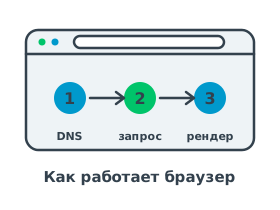
Step 1. Finding the server's address
First the browser extracts the domain name from the URL and sends a resolve request to a DNS server. The server looks up the A record (or the AAAA record for IPv6) and returns the IP address of the target host. It is this address that the browser will use from here on.
Step 2. Connection and request
Having obtained the IP address, the browser opens a connection and, if the scheme is https, negotiates encryption over TLS. Then it sends the request:
- GET — to retrieve the content of the page at the specified path.
- POST — if you are submitting a form or sending data to the server.
- The server's response — a status code, headers and a body with HTML, which the browser starts to parse.
Next the browser loads styles, scripts and images, builds the page tree and renders it on the screen. This is how knowledge of DNS, IP and HTTP comes together into a single picture of how the web works.